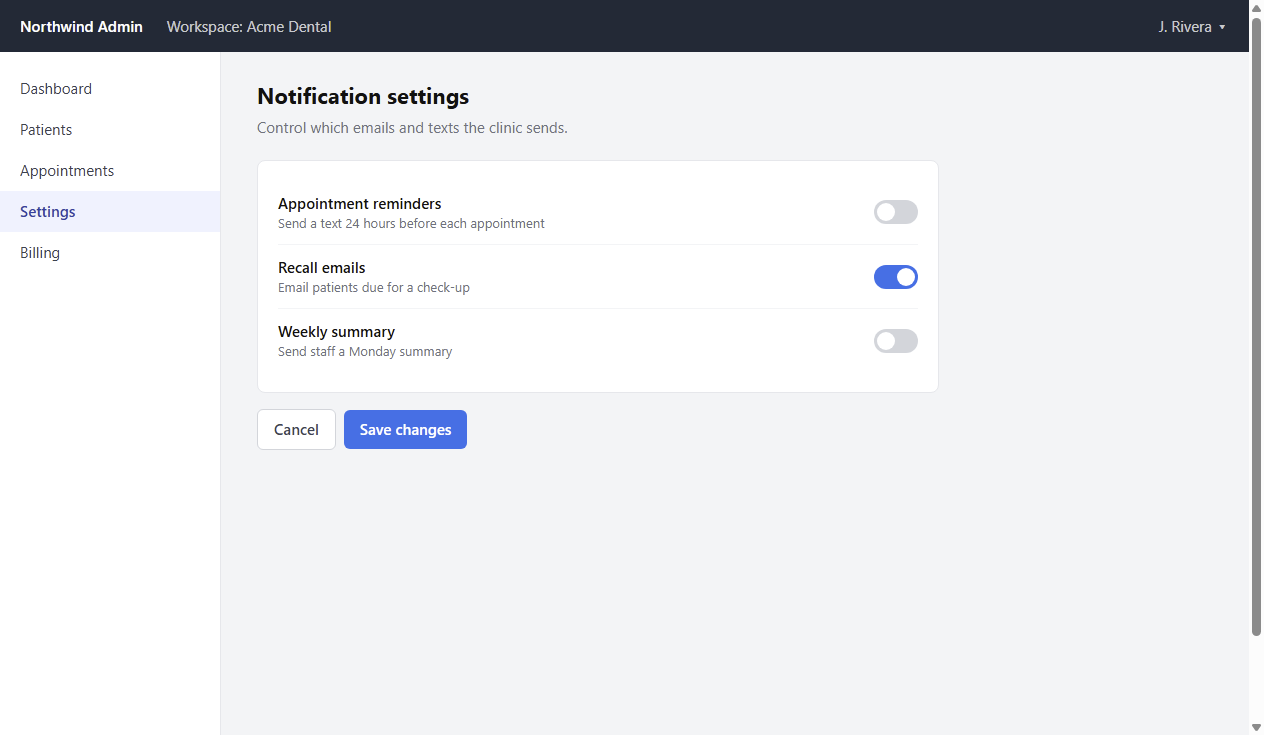
Turn on appointment reminders
Enable 24-hour text reminders in Notification settings.
Before you start: Admin access to Northwind Admin.
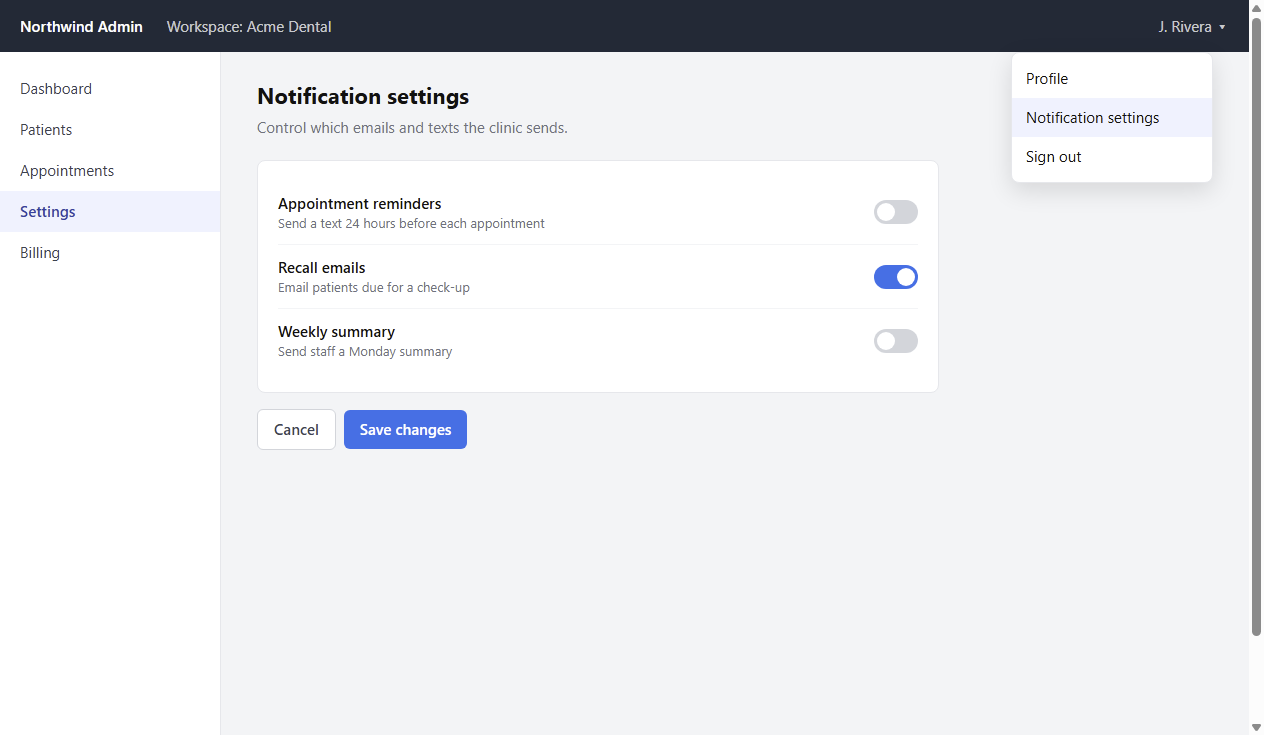
1Open the account menu
Click your name at the top right and choose Notification settings.
The Notification settings page opens with three toggles.
Video caption: “Open Notification settings”
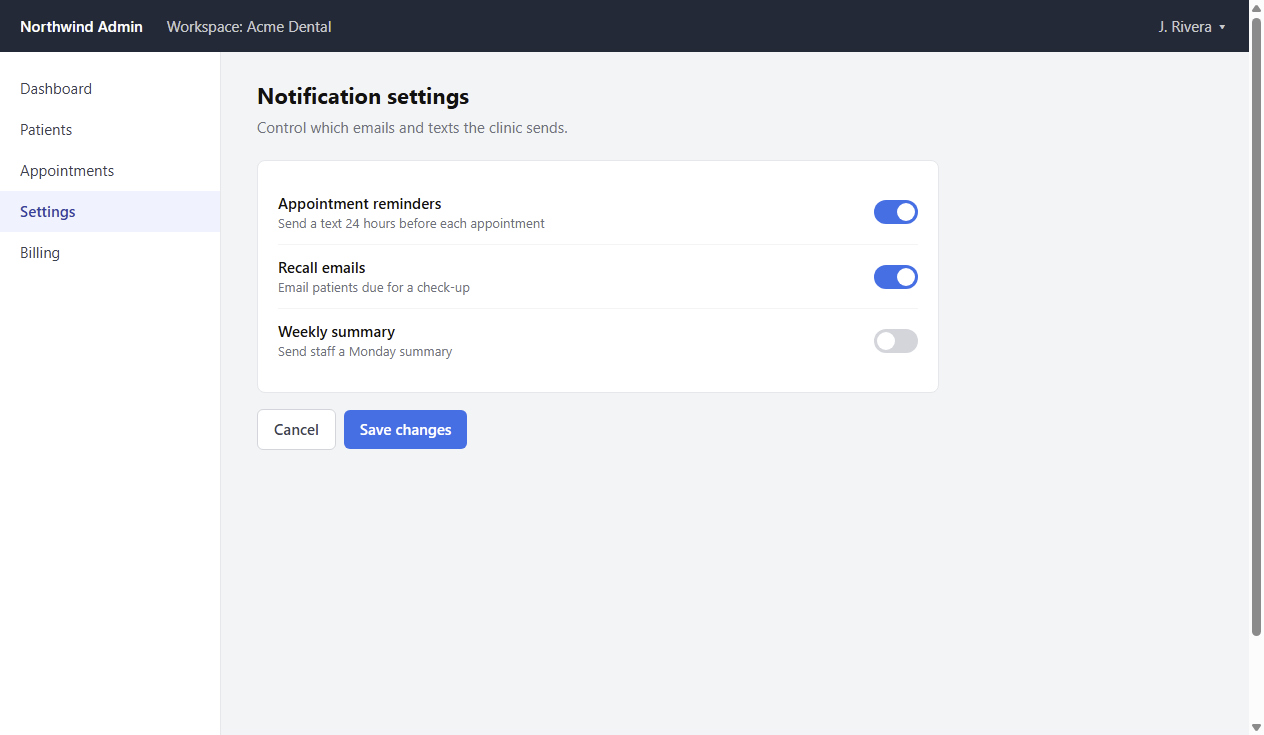
2Turn on Appointment reminders
Click the Appointment reminders toggle so it turns blue.
Recall emails is already on; Weekly summary stays off.
Watch out: Nothing is saved until the next step.
Video caption: “Turn on reminders”
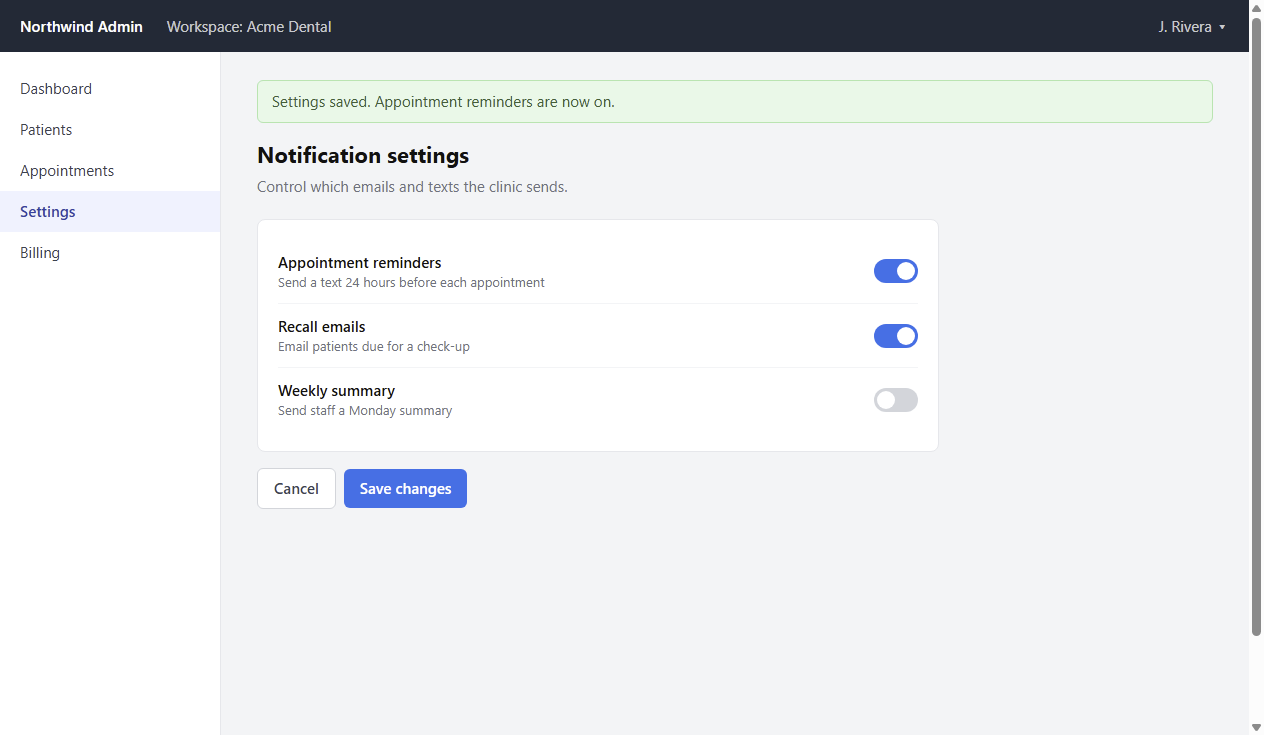
3Save changes
Click Save changes at the bottom of the card.
A green banner reads “Settings saved. Appointment reminders are now on.”
Video caption: “Save changes”