Customer support
Answer with a walkthrough they can keep.
Create a screenshot guide and a video for the setting your customer needs to change. Review both before you send them.
A task worth showing.
A customer asks how to turn on appointment reminders. A paragraph is easy to misread, and a video alone makes them keep pausing to find the right button.
Illustrative guide / 3 steps
Turn on appointment reminders
Hand-written example using a fictional workspace. These screens show the guide format and contain no customer data.
Before you start: An administrator account in the sample workspace.
- 1
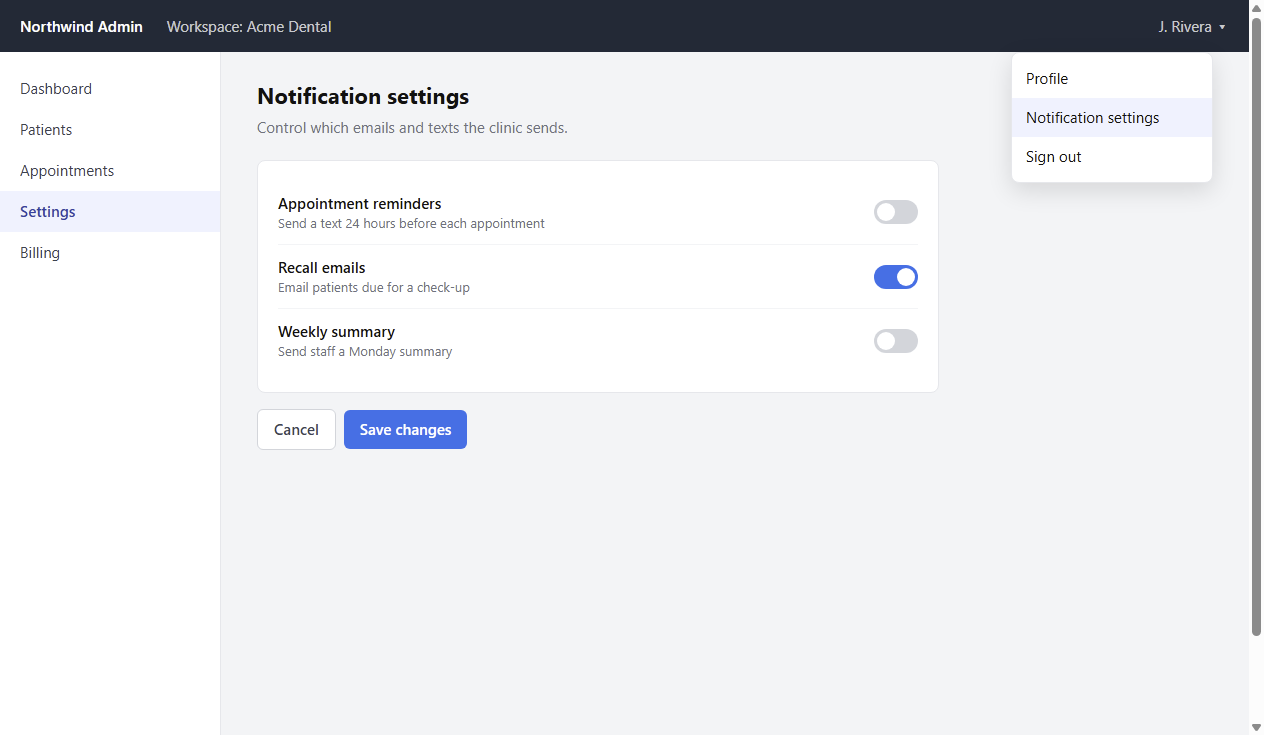
Open Notification settings
Open the account menu at the top right and choose Notification settings.
- 2
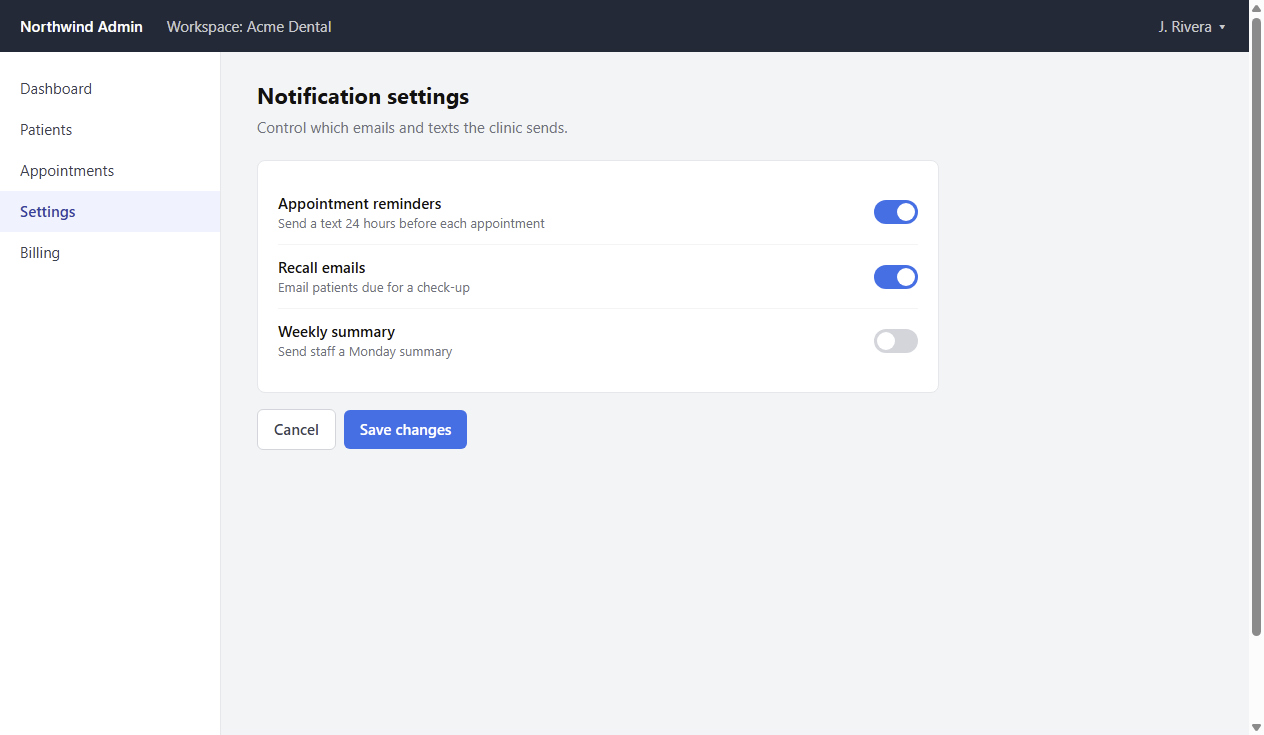
Turn on Appointment reminders
Switch Appointment reminders on. Leave Recall emails and Weekly summary unchanged.
- 3
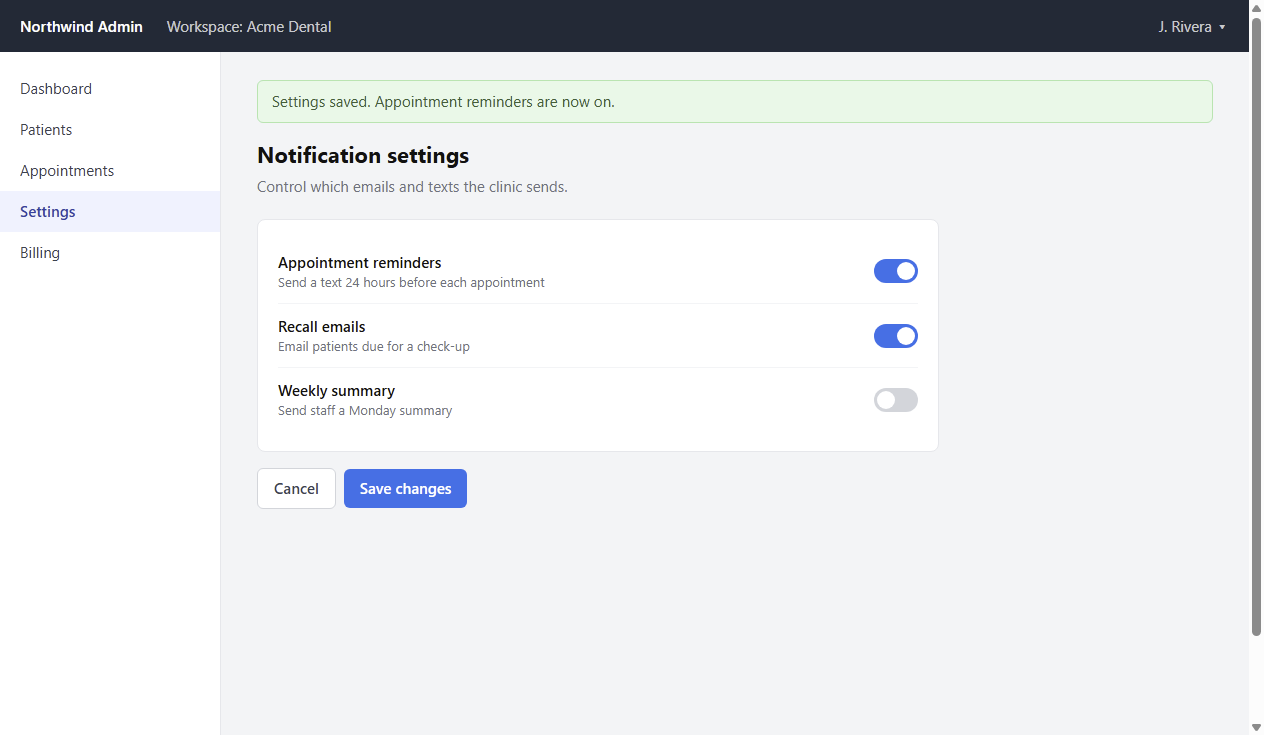
Save changes
Click Save changes. The green confirmation tells you that reminders are now on.
Review before you share.
Check that the final screenshot includes the saved confirmation. Remove any customer details before exporting or asking AI for a draft.
In the desktop app, AI drafts the instructions from selected screenshots and click positions. You can correct each step beside its source image.
Give them both ways to follow.
Attach the HTML guide to your reply, or upload the video where you normally support customers. Aryanna does not send the reply for you.