Team onboarding
Hand over the task, with every step beside it.
Record a routine once and turn it into editable instructions for the next teammate. Keep the screenshots and steps together.
A task worth showing.
A new teammate needs to add someone to a workspace. The role matters, so the handover should show the selection and the final invitation state.
Illustrative guide / 3 steps
Invite a teammate with the right role
Hand-written example using a fictional workspace. These screens show the guide format and contain no customer data.
Before you start: Workspace administrator access and the teammate’s confirmed email address.
- 1
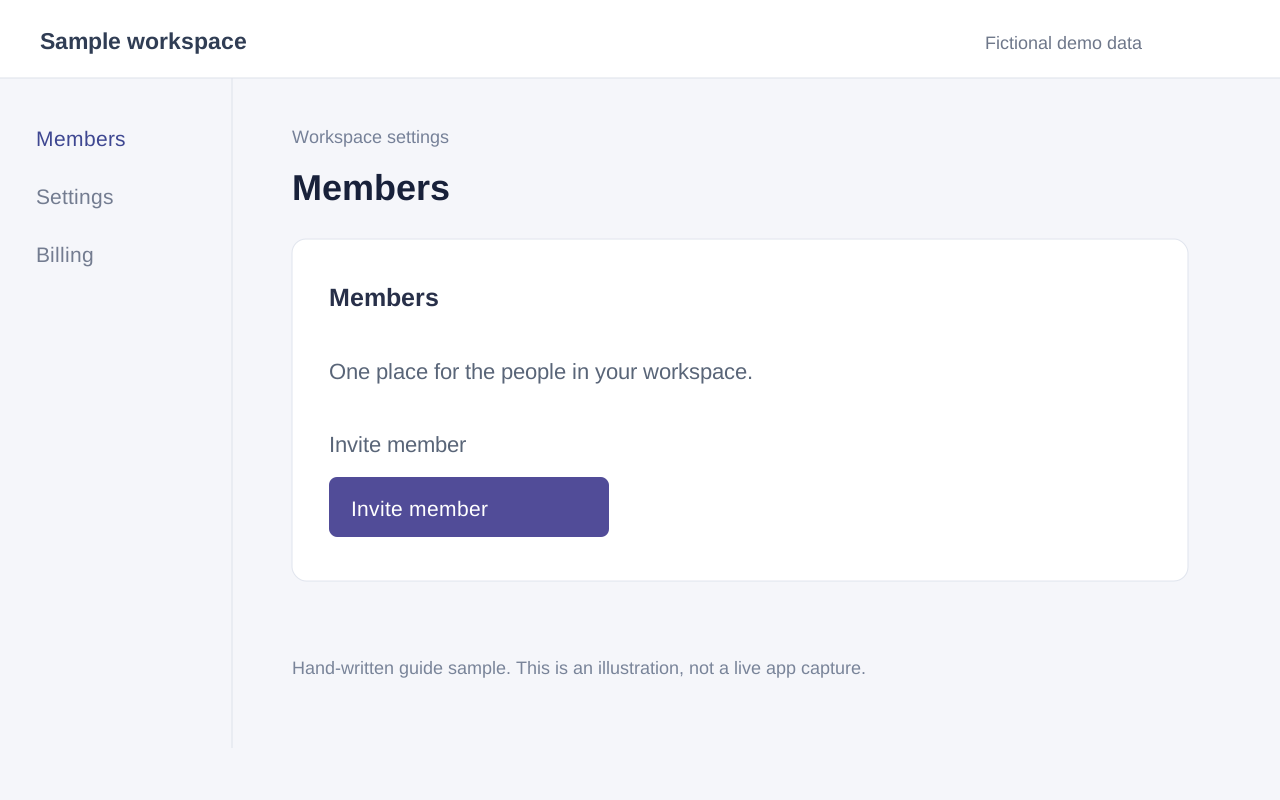
Open Members
In Workspace settings, choose Members. Select Invite member.
- 2
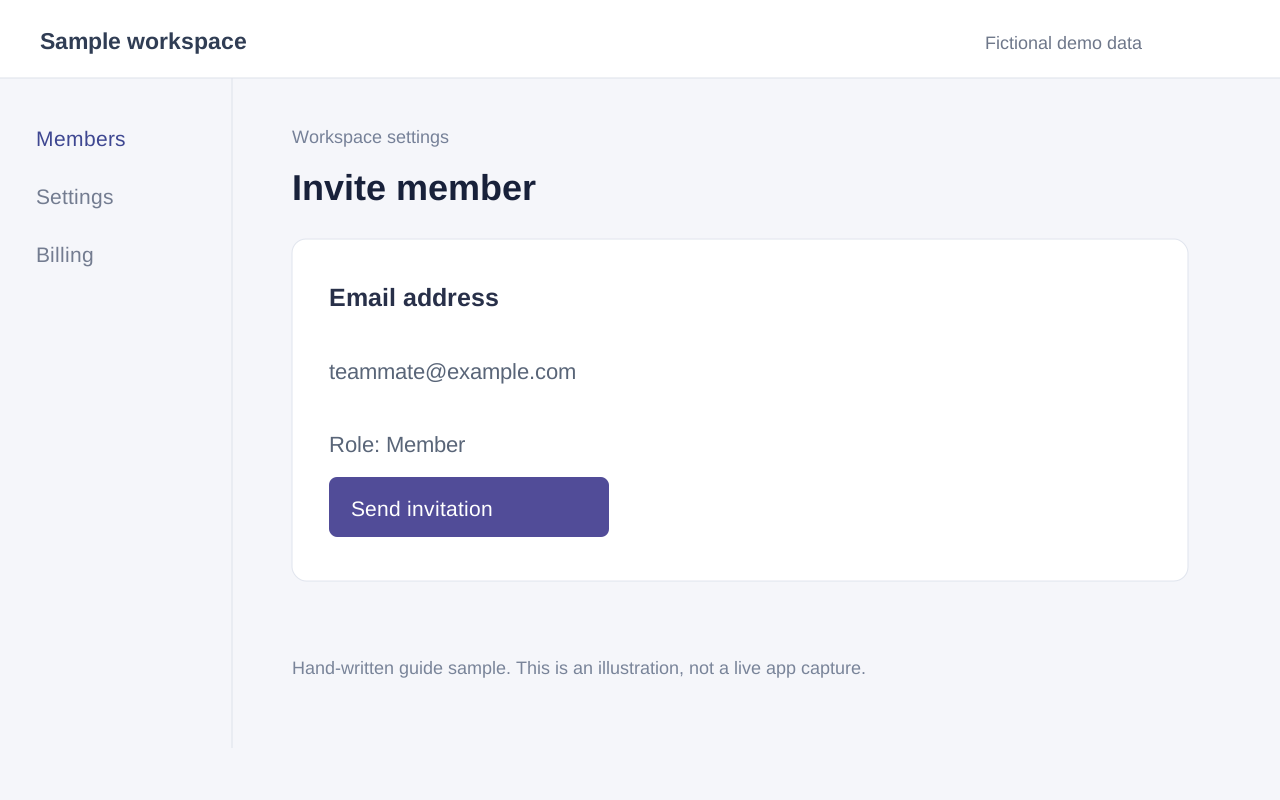
Choose the role
Enter the teammate’s email address and select Member. Check the address before sending the invitation.
- 3
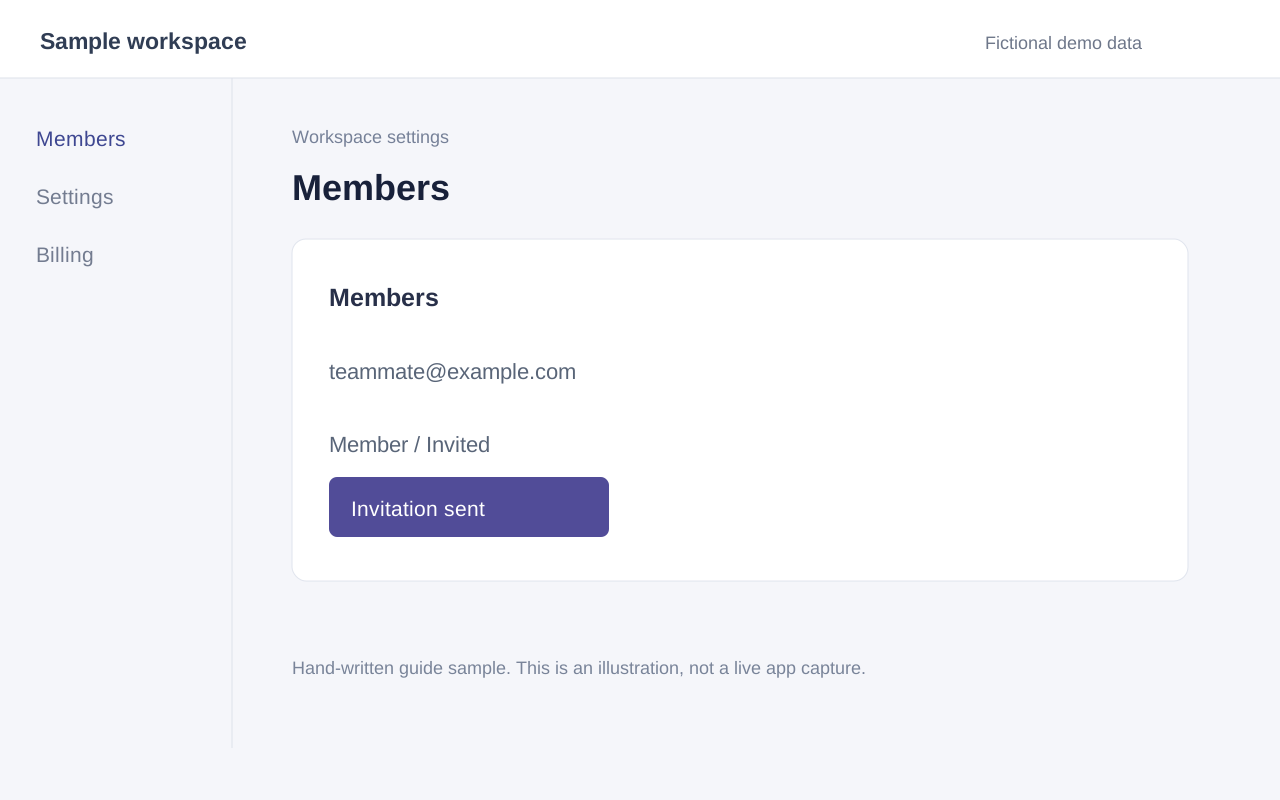
Confirm the invitation
Select Send invitation. Confirm that the teammate appears in the list with the status Invited.
Review before you share.
Review the role and email address before using the guide for your own workspace. Blur or replace private information in captured screens before sharing.
In the desktop app, AI drafts the instructions from selected screenshots and click positions. You can correct each step beside its source image.
Give them both ways to follow.
Export a Markdown guide and images for your team documentation. If the interface changes, record the task again and replace the old walkthrough.